Explainable AI matching for vacancies and candidates.
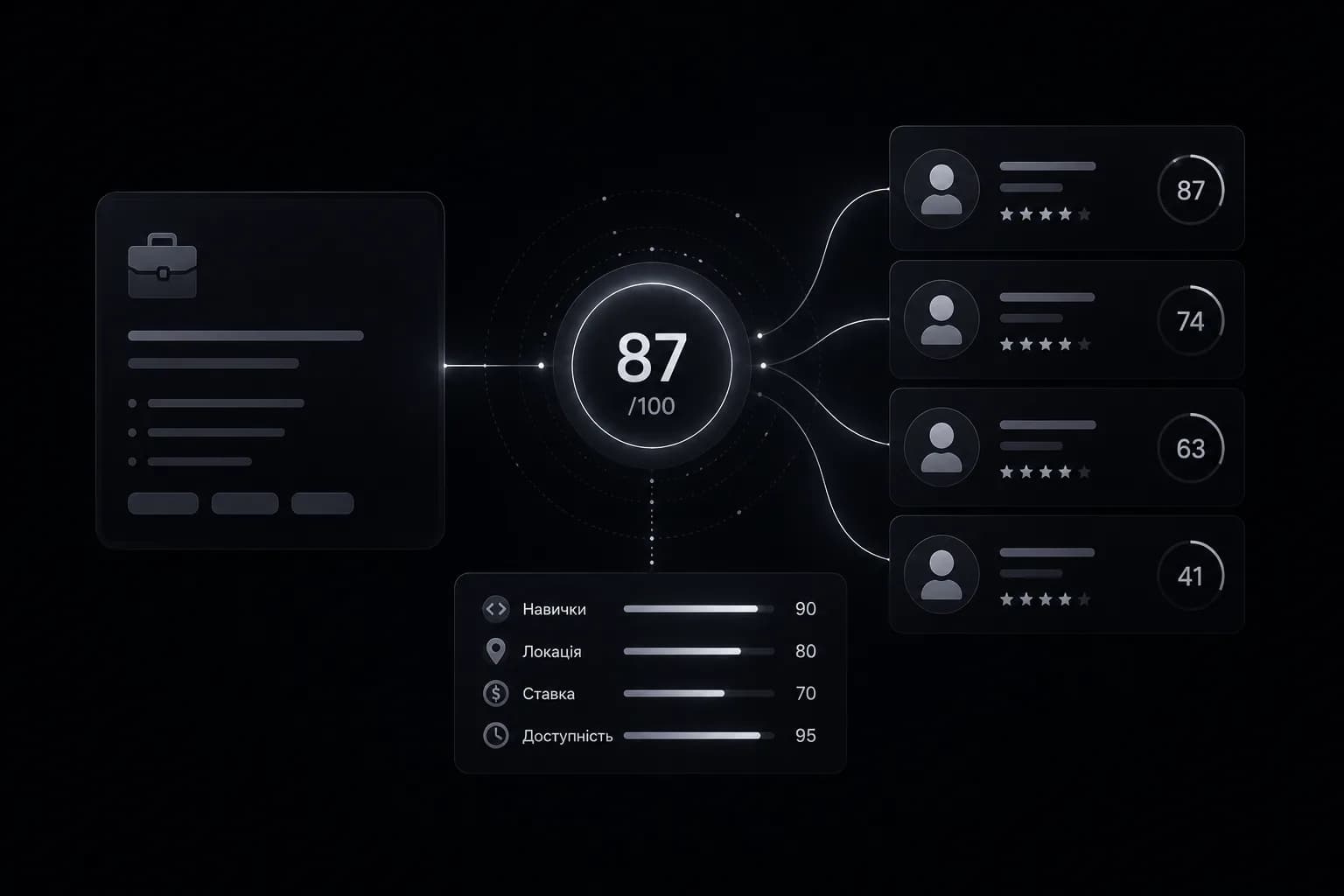
Every vacancy–candidate pair in OpenLeadGraph receives a 0–100 match score with the reasoning attached — skills, location, rate, availability. Recruiters see not just who fits, but why, and can tune the criteria to their desk.
How matching works
When a new vacancy and a new candidate meet in the system, the matching model compares them on the factors that decide real placements:
- Skills — what the role requires against what the candidate actually has.
- Location — real distance to the site, not just the same city name.
- Rate — the candidate's expectations against the role's budget.
- Availability — when the candidate can start against when the client needs them.
The output is a number from 0 to 100 — and, more importantly, the reasons behind it.
Why the score exists
A recruiter's scarcest resource is the next hour. A score with visible reasoning turns "scroll two hundred profiles" into "call these five, in this order" — and because the criteria are explicit, a manager can see why the list looks the way it does and adjust the weights to the desk's reality. A score you can audit is a score you can trust.
From match to placement
A good match is the start of the workflow, not the end. The pair opens directly in the recruitment CRM: one click tailors the candidate's CV to the exact vacancy, the card moves through your stages, and the full history stays attached. Matching, tailoring and pipeline live on one screen — nothing is exported, nothing is lost between tools.
Frequently asked questions
How does AI matching work in OpenLeadGraph?+
Every vacancy–candidate pair is compared on skills, location, rate and availability, then scored 0–100 with the reasoning written out. The model's criteria are configured to your niche during setup, so the score reflects your desk — not a generic average.
Can recruiters see why a pair scored the way it did?+
Yes — that is the point. Every score comes with its reasons attached, so recruiters trust the ranking and managers can tune the criteria instead of guessing at a black box.
Does matching work for any specialization?+
The matching criteria — skills, rates, locations, availability rules — are configured per client during setup. Logistics, construction, manufacturing, IT and other specializations each get their own scoring profile.
See OpenLeadGraph on your niche.
A 30-minute demo call: we map your sources, pipeline stages and templates — and show the platform configured for your market.
Book a demo — [email protected]